


How to operate EZCAD software of fiber laser marking machine?-Teresa
How to operate the EZCAD software of fiber laser marking machine?
EZCAD software from BJJCZ is the most popular software used in fiber laser marking mahcine.
This article is about the operation of EZCAD software.
In general, China suppliers always provide a industrial computer or a laptop for customers. Suppliers will install software and setting all parameters before delivery machine. Then after customers received machine, they just need open machine and computer, no more things.
Today I show you how to mark letters by fiber laser marker.
First connect to power suply, then open “main power” and computer. Double-click this icon  , you will see

Then left-click  , put cursor on blank area, then you will see:
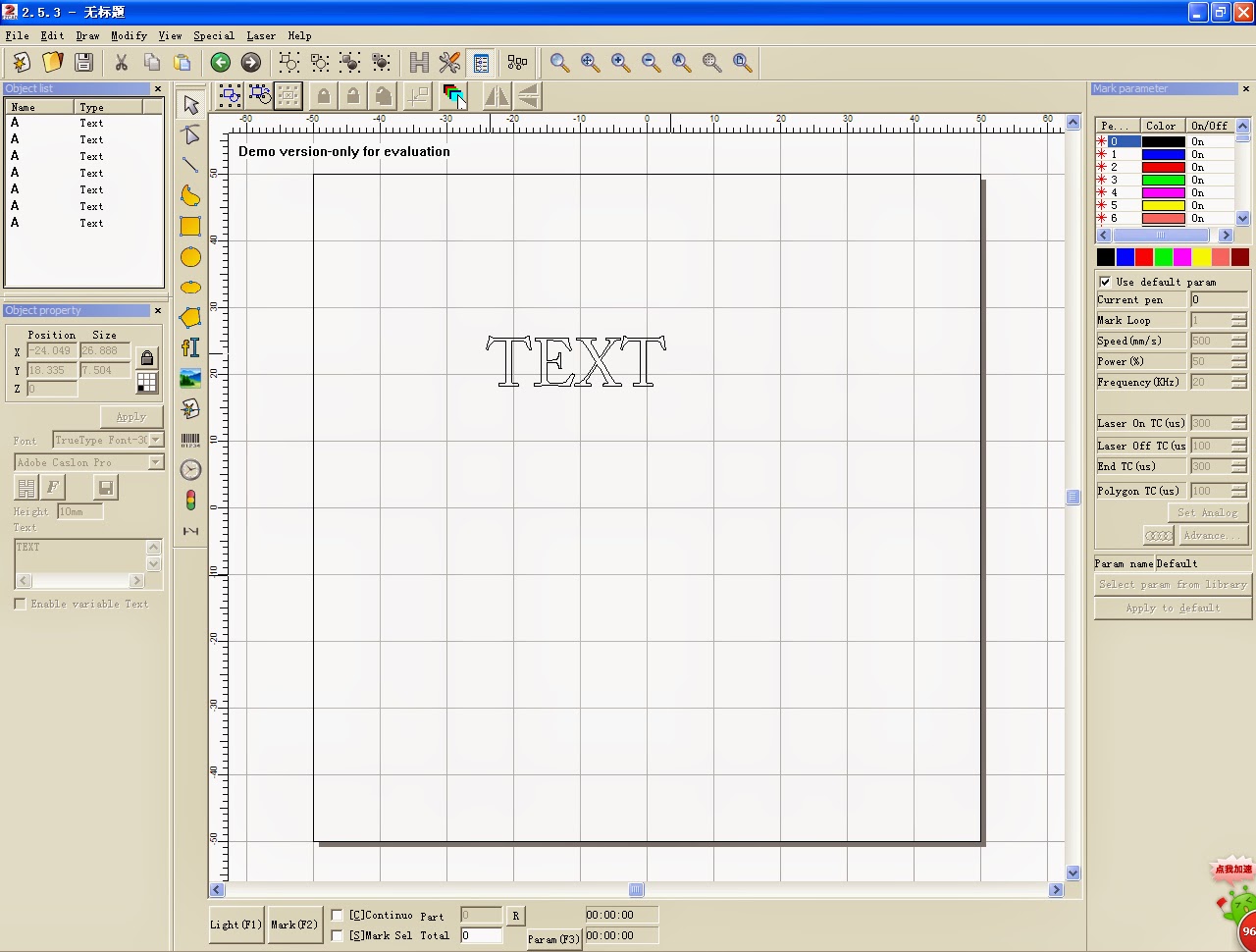
We can change the letter as our wish. Click here

Then you will see:
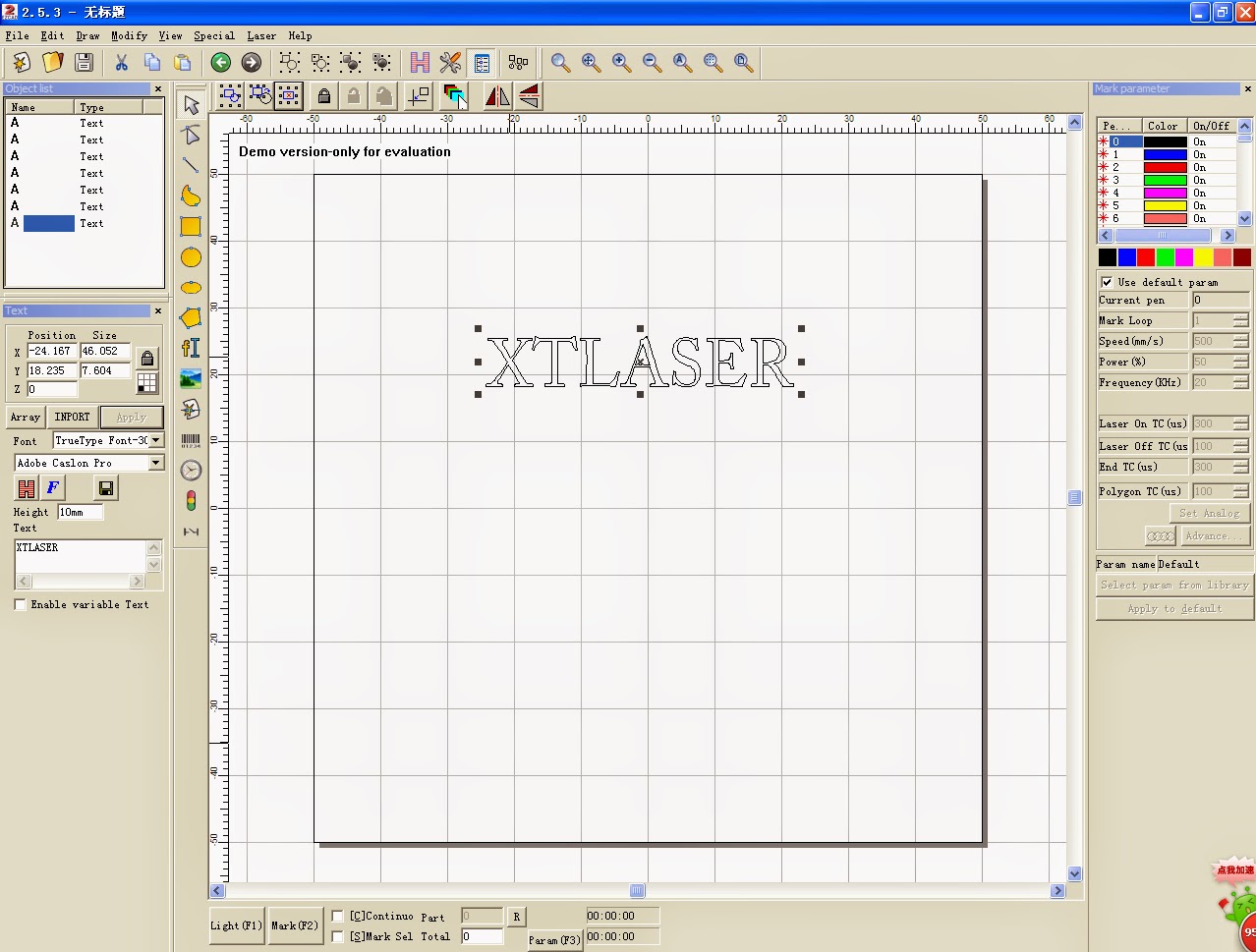
Next setting proper power and speed according to your material, just as this shows:

Okay, the last step”lighting”-find a proper position on your workpiece, then “Mark”
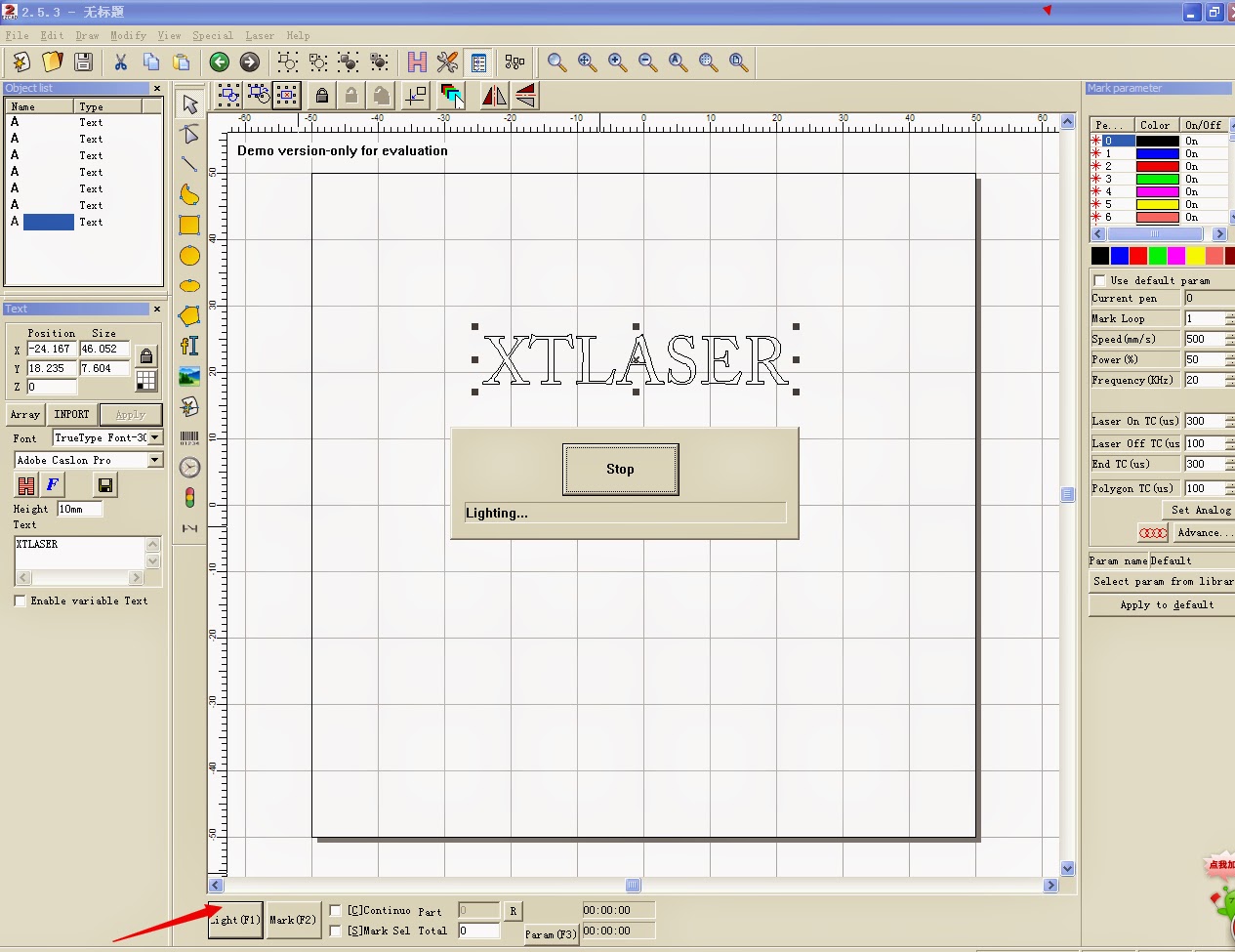
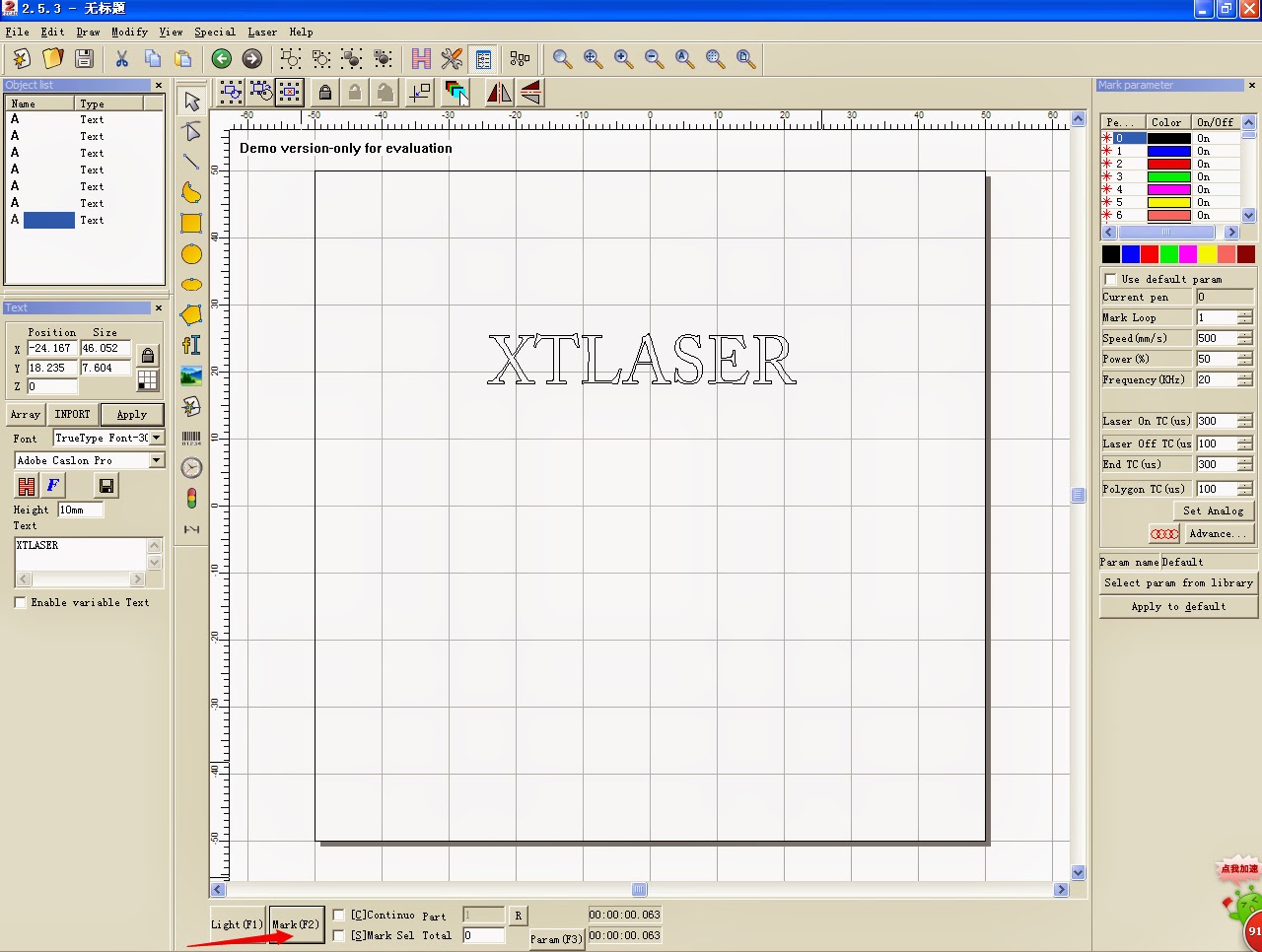
Could you make sense?
If not, never mind. Now show you a video. It’s more clear than what I mentioned.
“Demo” version EZCAD software can be sent to you if you need. Pls contact me as following:
Email:[email protected]
Skype: xtlaser Teresa
Whatsapp: +8615006829603